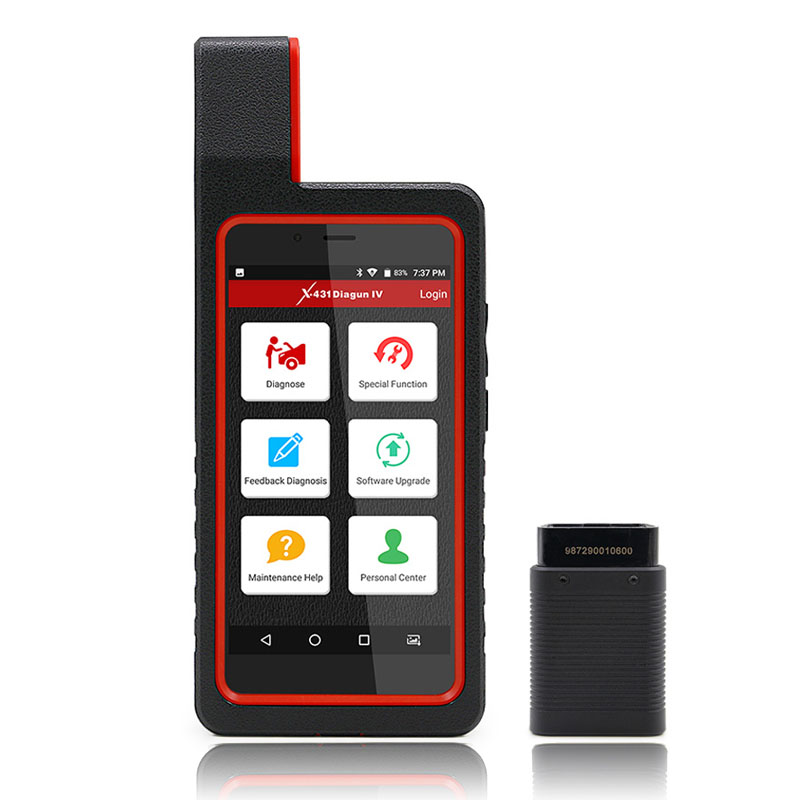


| Product name | obd2 full system auto diagnostic tool |
| Brand | Launch |
| Model | X431 Diagun IV |
| Warranty | 2 years |
| Shipping | shipping in 3 days after payment (order≤10PCS) |
The most commonly performed service
·Oil Reset Service
·Steering Angle Calibration
·Electronic Parking Brake Reset
·Battery Register / Battery Maintenance
·ABS Bleeding
·Electronic Throttle Position Reset / Learn
·Diesel Particulate Filter (DPF) Regeneration
·Tire Pressure Monitor System Reset
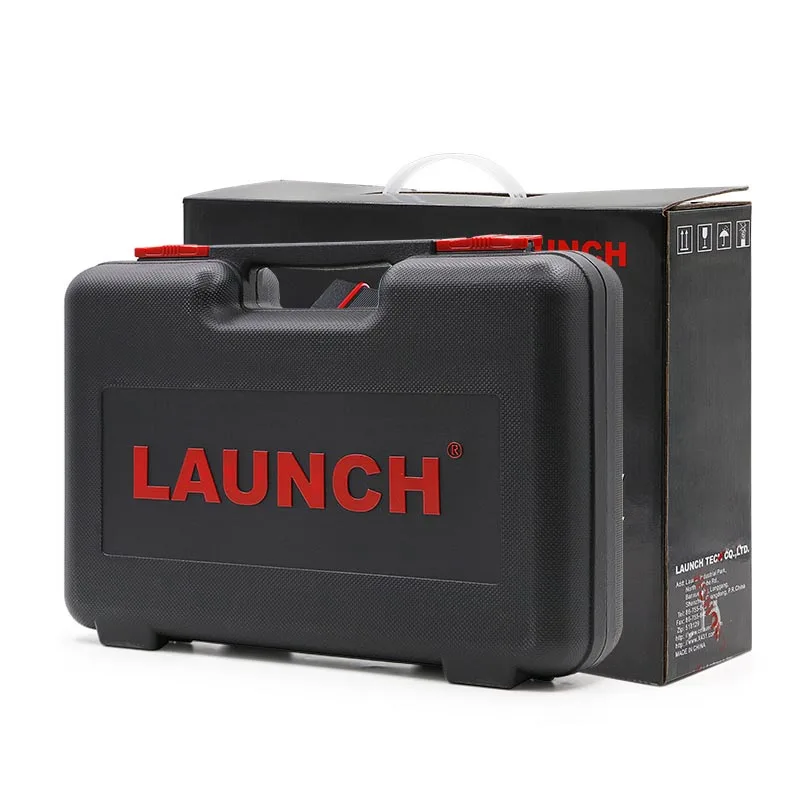
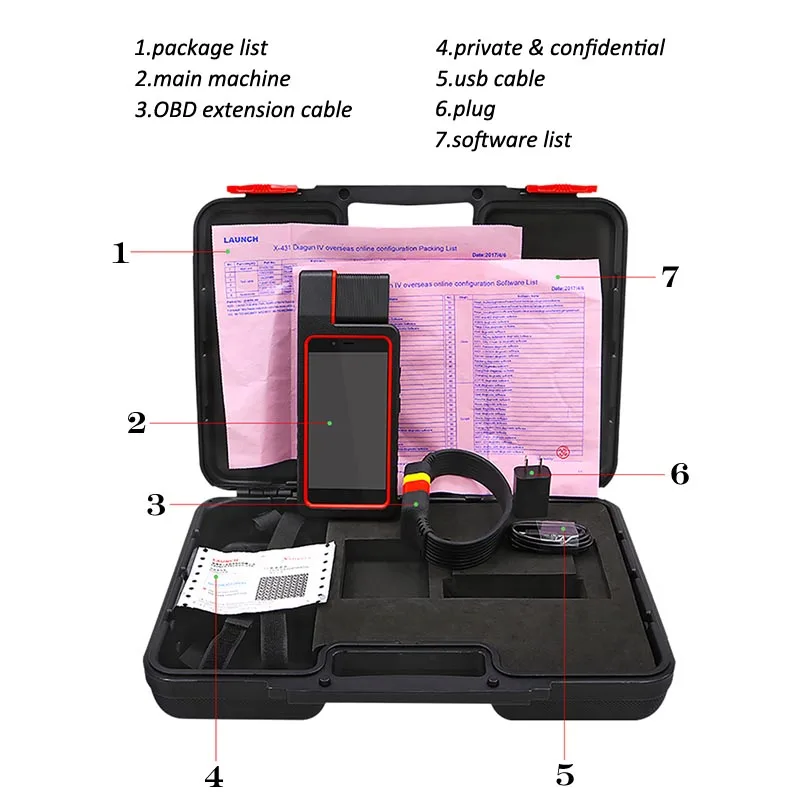
Package list
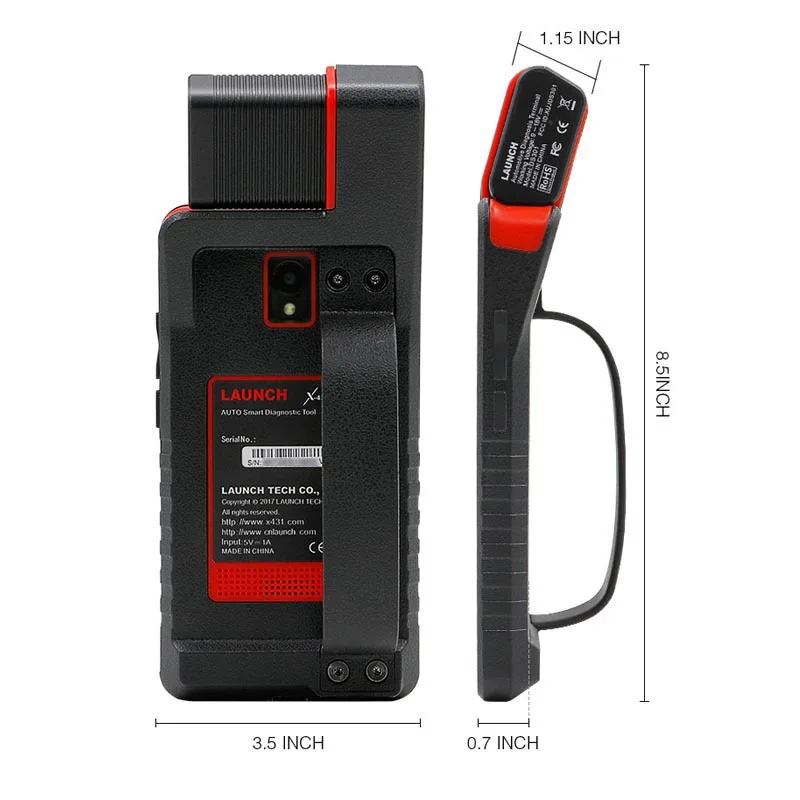
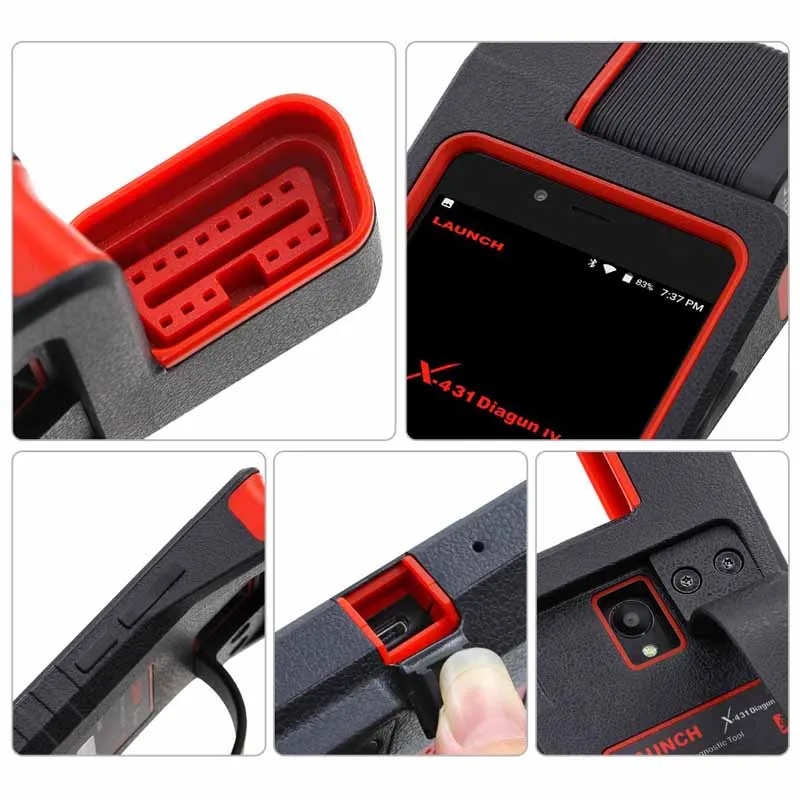
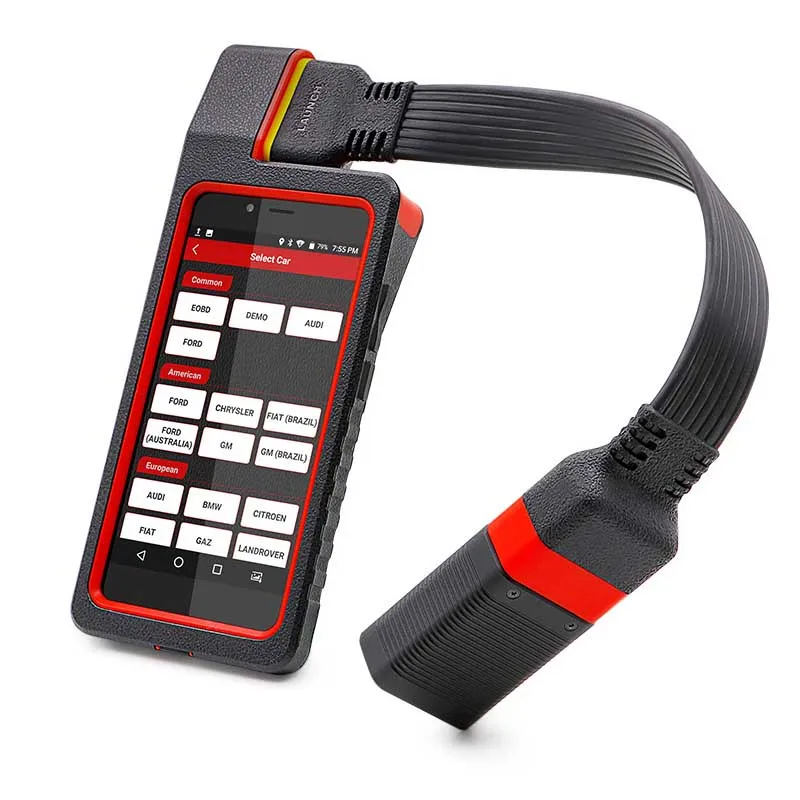
·X-431 Diagun IV handset
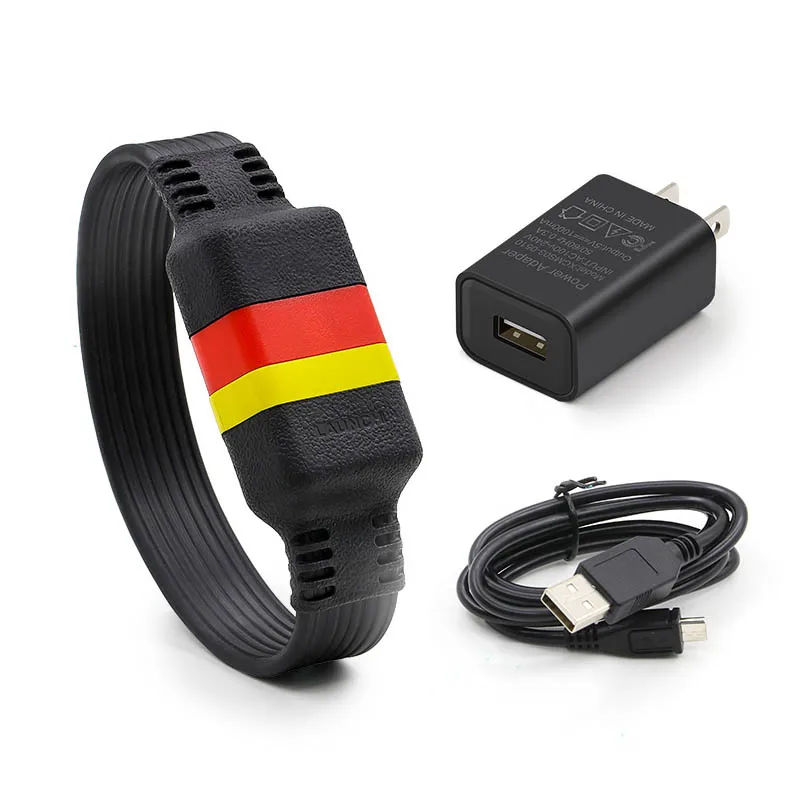
·VCI connector(Bluetooth connector)
·Password envelope
·Power adaptor
Features
1.Diagnostic
A.Diagnose
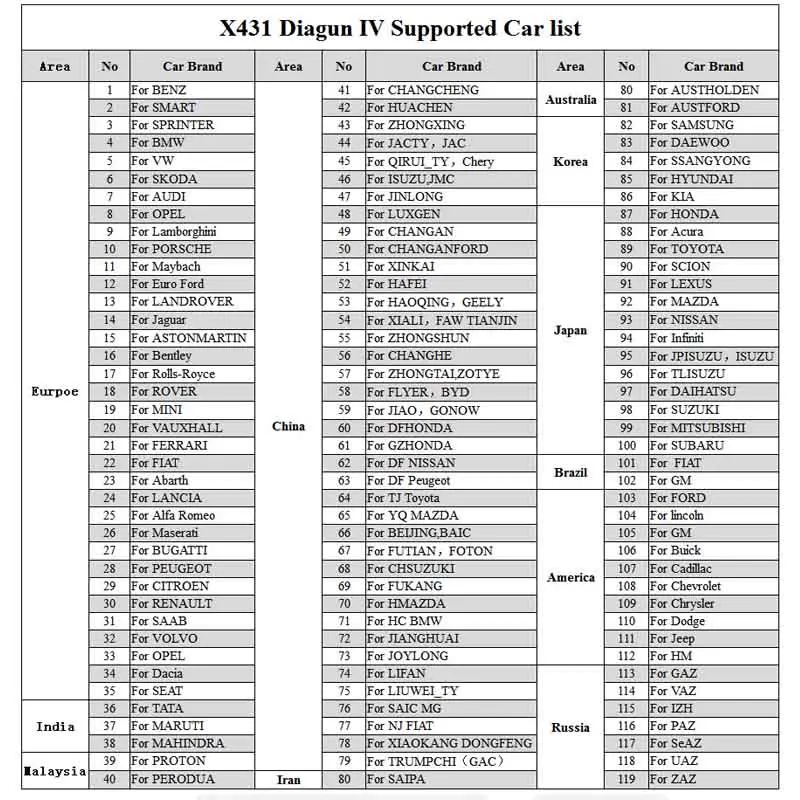
·Diagnose the electronic control systems of prevailing vehicle models covering Asian, European, American and Chinese.
·Diagnosis functions include: Read DTCs, Clear DTCs and Read data stream etc.
·Specially designed for Android platform with clear and user-friendly interface.
·Via Bluetooth, it is simple for the VCI connector to communicate with X-431 Diagun IV.
B.Reset
·Includes all kinds of maintenance resets.
C.One-click Update
·lets you update diagnostic software and APK more efficiently.
2.Browser
·built-in Wi-Fi module makes surfing on the internet freely.
3.Email
·allows you to send and receive emails.
4.Settings
·to configure your personalized X-431 Diagun IV through it.
5.Applications
·other android based applications can be customized to install or uninstall.
Vehicle connection
The method used to connect the VCI connector to a vehicle's DLC depends on the vehicle's configuration as follows
·A vehicle equipped with an OBD II management system supplies both communication and 12V power through a standardized DLC.
·A vehicle not equipped with an OBD II management system supplies communication through a DLC connection, and in some cases supplies 12V power through the cigarette lighter receptacle or a connection to the vehicle battery
For non-OBDII vehicle,proceed as follows
1.Locate vehicle’s DLC socket.
2.Select the corresponding non-16pin connector.
3.Plug the non-16pin end of the connector into the DLC socket, then connect the other end to the OBD I adaptor,and then tighten the captive screws.
4.Connect the other end of the adaptor to the included VCI connector.
5.To supply power to OBD I adaptor from
A.Cigarette Lighter cable(optional): Connect one end of the cigarette lighter cable to vehicle’s cigarette lighter receptacle, and the other end to the power jack of OBD I adaptor.
B.Battery Clamps Cable(optional): Connect one end of the battery clamps.
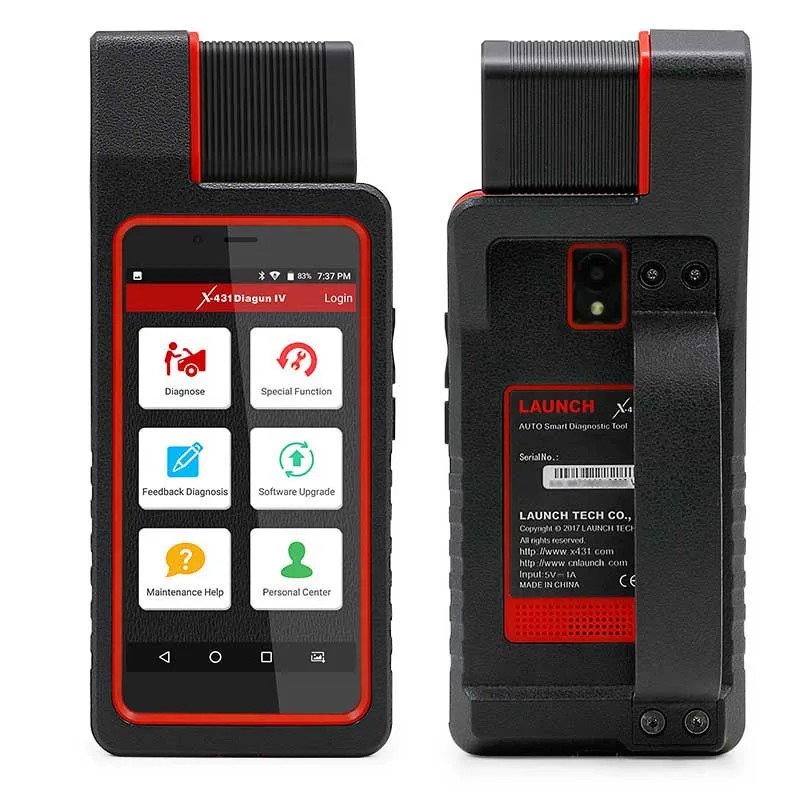
Function menu
Diagnose
·Configures X-431 Diagun IV to operate as a diagnostic tool.
Special Function
·To perform some maintenance items, including electronic throttle position reset, ABS bleeding, oil lamp reset etc.
Feedback Diagnosis
·This option allows you to feed back the diagnostic reports/software bugs to us for troubleshooting and analysis
Software Upgrade
·To update vehicle diagnostic software. If you keep signed in, a pop-up message will appear on the screen once a newer version is detected.
Maintenance Help
·To browse the FAQ, Quick Start Guide, User Manual and How To videos.
Personal Center
·To manage, activate your VCI connector, diagnostic report or personal information etc.
Reset function
The Reset section is specially designed to provide you quick access to the vehicle systems for various scheduled service and maintenance performances. All resetting operations are driven by executive commands. Just by following the on-screen prompts to select appropriate execution options, input correct values or data, and perform necessary actions, the system will guide you through the complete performance.
Do the following to reset X-431 Diagun IV:
1. Tap “Settings” --> “Back & Reset”;
2. Tap “Factory data reset”;
3. Tap “Reset tablet”;
4. Tap “Clear all data” to start resetting until the tool automatically reboots.
FAQ
1. How to save power?
·Please turn off the screen while X-431 Diagun IV keeps idle.
·Set a shorter standby time.
·Decrease the brightness of the screen.
·If WLAN connection is not required, please turn it off.
·Disable GPS function if GPS service is not in use.
2. What should I do in case I forgot the screen lock?
·You can set screen lock as pattern or password. If you forgot the password, please consult your device provider or reset your device.
·Warning: Resetting may cause data loss. Before use, please make sure important data has been backed up.
3. How to do if the system runs slow?
> Check all running applications and stop the unnecessary applications (Steps: Settings ->Apps -> Running -> Tap the desired application and then tap “Stop”).
> Check all installed applications, remove the unnecessary applications (Steps: Settings ->Apps -> Downloaded -> Tap the desired application and then tap “Uninstall”).
If all steps mentioned above are finished and the system still works slowly. Please try to close the system and reboot your X-431 Diagun IV.
4. How to reset X-431 Diagun IV?
·Resetting may cause data loss. Before doing so, please make sure important data and information has been backed up.

·Shenzhen Clover Technology Co., Ltd. was established in 2008, over 11 years of experiences in manufacturing and exporting various Auto electronic products, and principally involved in areas of On-Board Diagnostics tools.
·We have a number of independent intellectual property rights, and a number of design patents and utility model patents in product design and production. We are also one of the industry's leading automotive electronics manufacturers specialized in R&D, design, production and sales. Over 2, 000 square meters of whole clean room, more than 6 automatic SMT equipments, with strong production capacity, and through ISO9001: 2008 quality management system certification,providing customers OEM and ODM services according to customer's different requirement.
·We manufacture and export auto products from China to various overseas markets and we also cooperate with satisfied buyers in US, Europe, South Africa, Southeast Asia and the Middle East. We have implemented a comprehensive quality control system. Relying on advanced instruments, perfect quality control system, highly experienced management staff and senior engineering personnel, we are able to satisfy customers' changing demands effectively.
·We adhere to the tenet of "Customer First", with the idea of "Quality, Honesty, and Innovation". Please feel free to contact us for further information.
·100% QC inspection Before Shippment, we will provide the photos or video of the whole process of produce, package till sending.
·We have After-sales service, please contact us if there is any questions about the order, we will relpy you in 12 hours due to time zone.

1.what is the shipment way?
·Express company like DHL,TNT,UPS,Fedex,EMS (Door to Door service),by air company;
·By sea (LCL or whole container shipment), you can choose the one you prefer!
2.if the price include duty?
·Usually the price we quote without the duty in your country, as different country duty rate different, but to some countries, we will send by a special line which can with duty (e.g. European special line), please contact with us if you want to need more.
1.Can we get a lower price? Any Discount?
·Yes, price is not a problem, everything could be negotiated based on the quantity.
2.What is your MOQ?
·No MOQ for any sample test.
3.OEM/ODM Service is available?
·Yes, LCB have strong ability to offer customers ODM&OEM products of highest quality,but it will require the MOQ.
4.For Trade Terms, such as payment and leadtime.
·Payment Terms: We mainly support T/T bank transfer,Paypal ,Western Union Or pay online on alibaba.
·Shipping Methods: EMS, DHL, Fedex, TNT, UPS, by sea or your own shipping agent.
·Leadtime: Sample order 4 working days; Bulk order 10-25 working days(after your payment)
5.How about the Warranty?
·There are 12 month warranty.
·While the warranty is not responsible for those broken by violence or updated with other brands.